
01
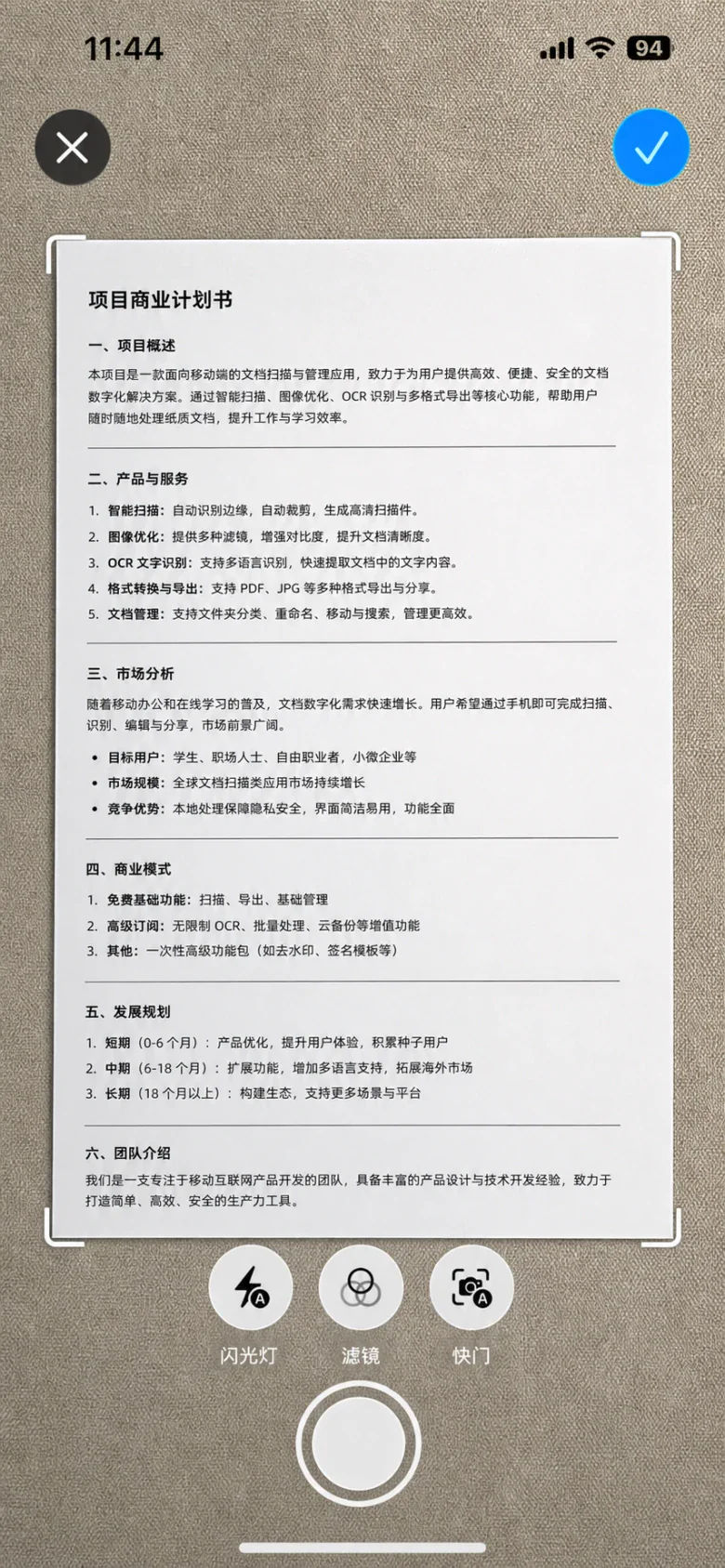
Capture the page
Point your camera at the document, detect its edges and straighten the page.

 SnapScan
 is a document scanner for iPhone with automatic cropping, OCR text recognition, signatures, watermarks and multi-page PDF export. Scanning and text recognition run on your device.
Detect paper edges and straighten your scans into clear pages.
Extract text from images, copy it and put it to use.
Bring multiple pages together and send them where they need to go.
Scan, edit, share
Three simple steps to give paper documents a clear home.
Point your camera at the document, detect its edges and straighten the page.
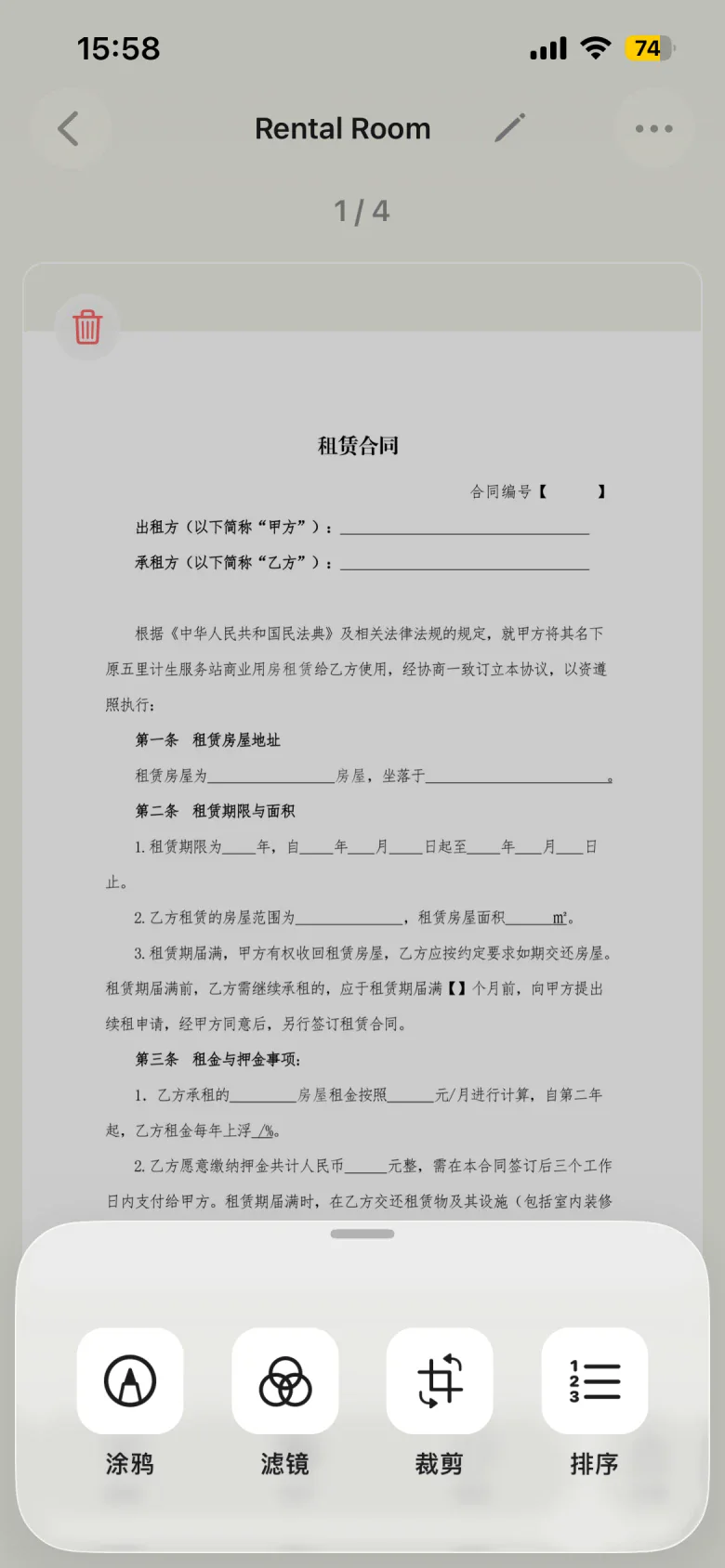
Crop, enhance and reorder pages until everything is in place.
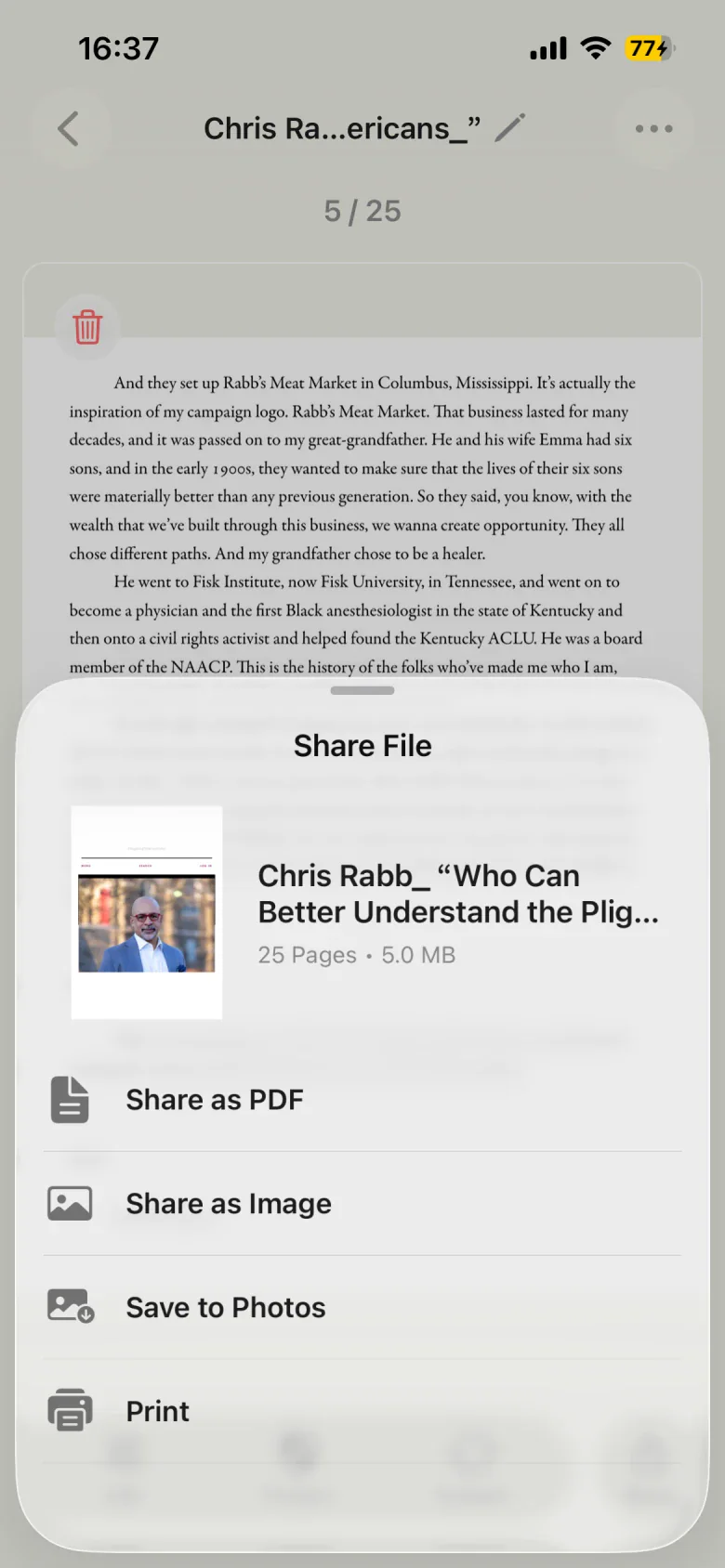
Save a PDF or images for easy filing and sharing.
Signatures and watermarks
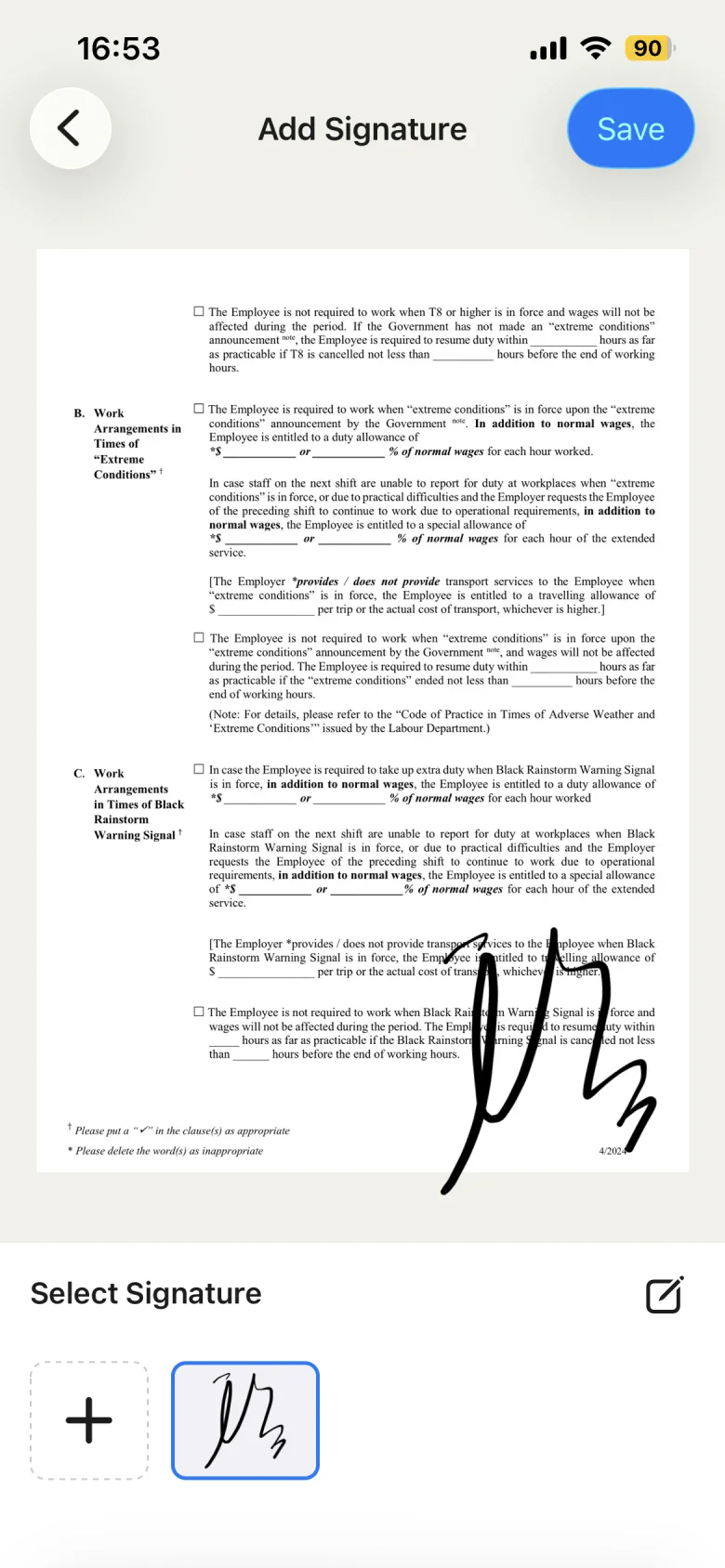
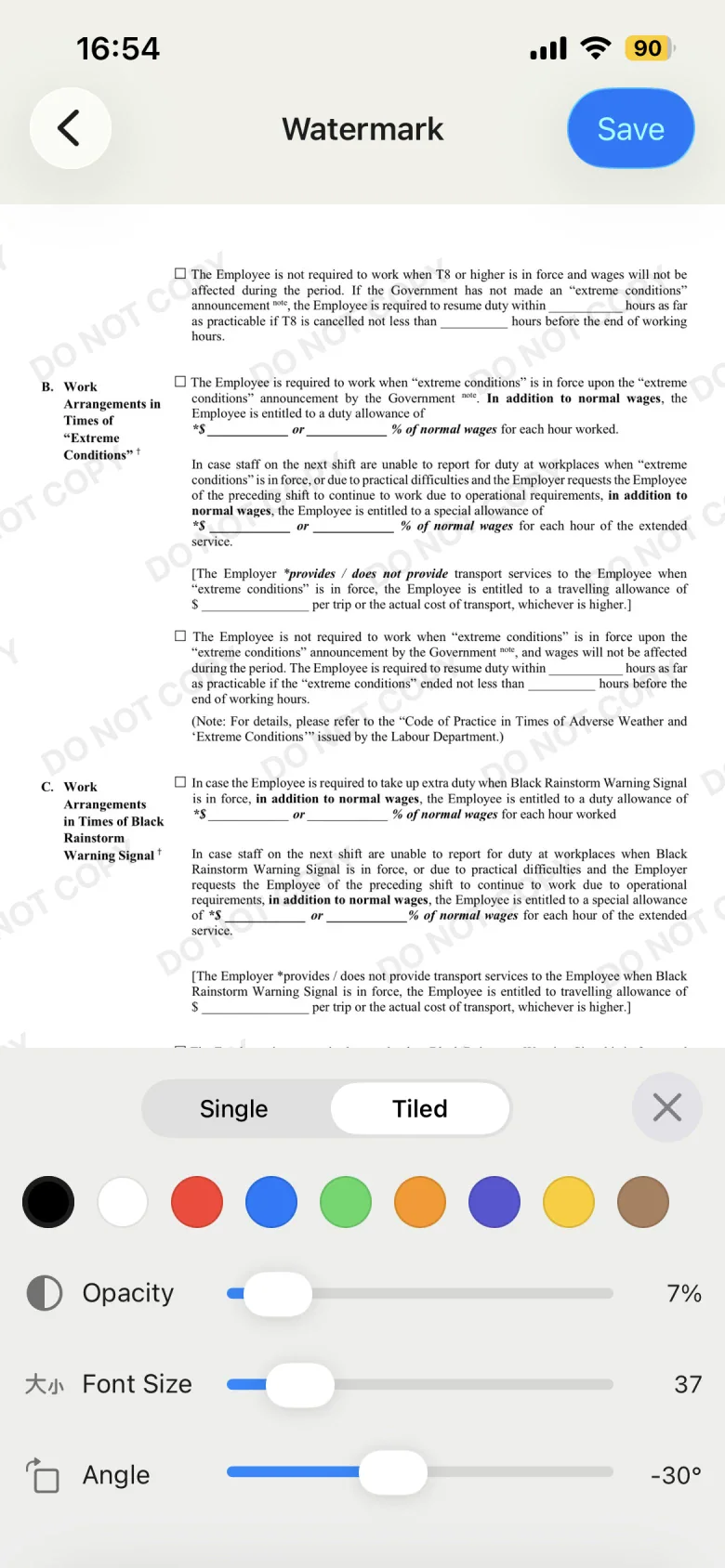
Add a handwritten signature or a custom watermark to your document. Adjust the details before you share.
Draw and save a signature, then add it to a document when you need it.
Adjust text color, opacity, size and angle to make your mark clear without getting in the way.
Some editing features require unlocking. See the app for current conditions.
Organize and share
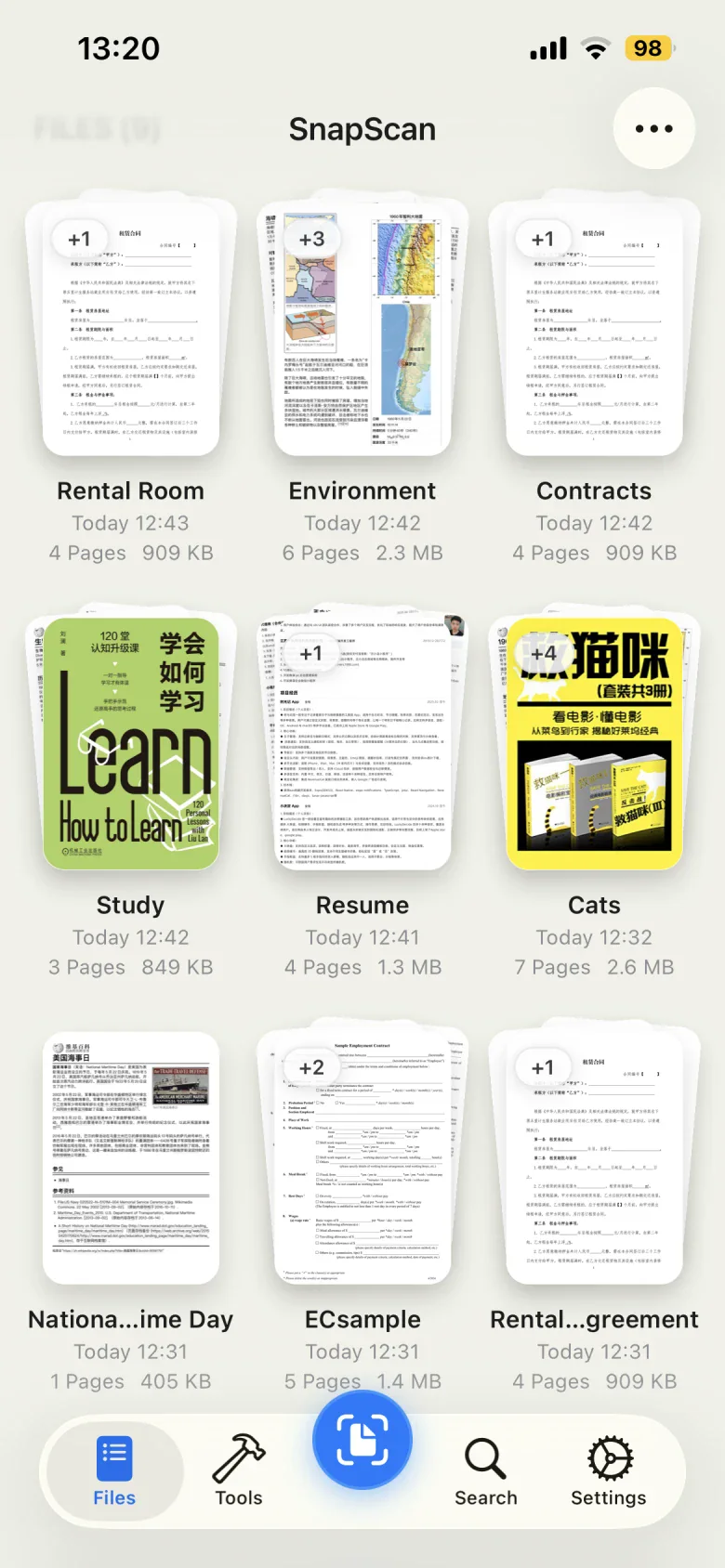
Keep documents in folders, arrange pages and export a PDF. You can also share images, save to Photos or print.
Keep shopping receipts and expense records together for easy reference.
Scan, sign and mark the purpose before sharing with the right person.
Bring handouts, notes and reference pages into documents you can browse.
The app offers a Pro upgrade, and some features can be unlocked temporarily by watching a video. Available features, export watermarks and current plans are shown in the app.
No account is required. Scan processing and OCR run on your device. For details about data used by purchases, advertising and other services, read the privacy policy. Read the privacy policy
Yes. Use OCR to extract text from a document, then copy the result. Accuracy depends on image clarity, lighting and text layout; check important content before using it.
Put the pages in the same document, adjust their order and choose to share as a PDF. You can also share images, save to Photos or print.
Choose the signature or watermark tool in the document editor. Draw and save a signature, then place it on a page. Watermarks support custom text, color, opacity, size and angle. Some features require unlocking; see the prompts in the app.
Some advanced editing, text recognition and export features require unlocking. Pro provides access to advanced features, and some features can also be unlocked temporarily by watching a video. See the app for current free features, prices and plans.
SnapScan
Give your next paper document a place to stay.
App Store(opens in a new tab)